
Marketplace listings
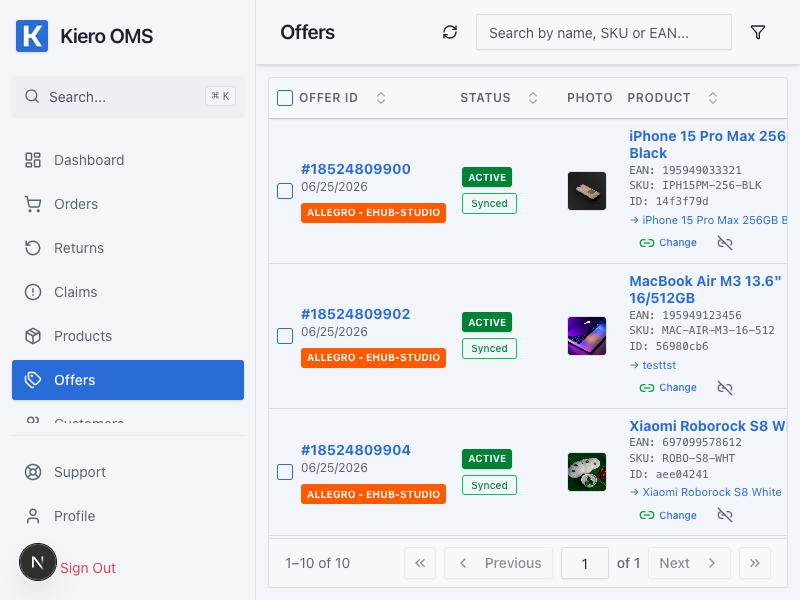
Listings are the marketplace versions of products from the Kiero OMS catalog. Linking a listing to the correct product is required for safe synchronization of prices, stock, descriptions, and photos.
Link a listing for the first time
- Open Offers and select the marketplace account.
- Find a listing without a linked product.
- Search for the product by SKU, EAN, or name.
- Check that the selected variant and selling unit are correct.
- Save the mapping and open the listing details.
What to verify after saving
The listing should point to the correct product and the catalog-sourced fields should show a current synchronization status. When mapping many listings, test the process on one product first.
The listing has no product
Enter an SKU or EAN in the catalog and check that it exactly matches the marketplace value. If the product title is different, search manually instead of creating a duplicate.
Synchronization changed unexpected data
Check the data source and synchronization scope before trying again. Do not start a bulk update until you have confirmed the result on one listing.
Listing lifecycle
Depending on the channel, you can import listings, review suggested matches and conflicts, publish or update supported fields, and close a listing. Run bulk operations for the correct account and verify price, stock, variant and error status first.